


Taxi Marquette Lez Lille
Toutes Distances
Bienvenue chez Taxi Marquette Lille, votre partenaire de confiance pour tous vos déplacements dans la région. Nous offrons un service de taxi fiable, sûr et confortable, adapté à tous vos besoins de transport.

Taxi Marquette-Lez-Lille
Besoin d’un taxi rapide et fiable à Marquette-lez-Lille ? Notre service vous garantit des trajets sécurisés et confortables, à toute heure du jour et de la nuit. Que ce soit pour un déplacement professionnel ou personnel, nous mettons à votre disposition des chauffeurs expérimentés et courtois. Nos véhicules sont modernes, entretenus et équipés pour assurer votre confort.
Réservez facilement votre taxi et voyagez l’esprit tranquille. Profitez d’un service ponctuel, efficace et adapté à tous vos besoins de transport à Marquette-lez-Lille.
Taxi Marquette-lez-Lille
Pourquoi nous choisir ?
Sécurité avant tout
Voyagez en toute tranquillité avec des véhicules entretenus et équipés pour assurer votre sécurité à chaque trajet.
Un confort optimal
Profitez d’un espace agréable avec des véhicules modernes, climatisés et adaptés à tous vos besoins.
Tarifs fixes et transparents
Pas de mauvaise surprise ! Nos prix sont définis à l’avance pour un transfert sans stress.
Devis gratuit et rapide
Obtenez une estimation claire de votre course en quelques instants, sans engagement.
Chauffeurs expérimentés
Nos conducteurs sont formés pour offrir un service ponctuel, courtois et sécurisé.
Réservation simple et rapide
Planifiez votre trajet en ligne ou par téléphone et recevez une confirmation immédiate.
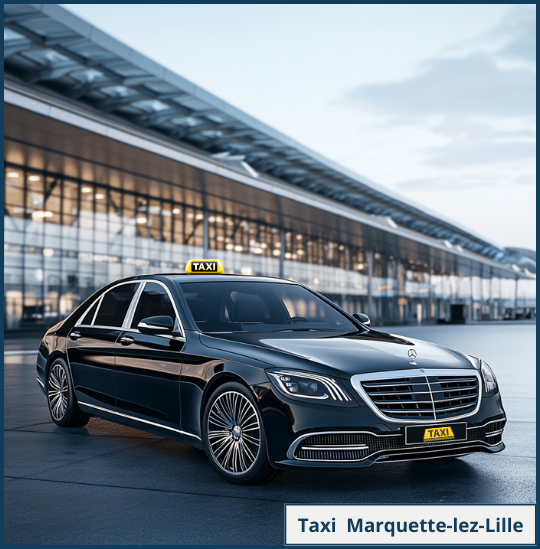
Taxi Marquette-lez-Lille : Réservez votre trajet en toute simplicité
Besoin d’un taxi fiable à Marquette-lez-Lille ? Nous vous offrons un service rapide et ponctuel. Que ce soit pour une course locale, un rendez-vous professionnel ou un transfert vers une gare, nous sommes disponibles 24h/24. Réservez votre trajet facilement par téléphone ou en ligne et voyagez sans stress.
Nos chauffeurs expérimentés vous assurent un transport sécurisé et confortable. Nos véhicules sont récents et parfaitement entretenus pour garantir une expérience agréable. Profitez d’un service adapté à vos besoins, avec des prix compétitifs et sans surprise.

Taxi Marquette-lez-Lille : Un service adapté à tous vos déplacements
Taxi Marquette-lez-Lille vous accompagne pour tous vos trajets, qu’ils soient courts ou longs. Nous assurons vos déplacements privés, professionnels ou touristiques avec un service fiable et ponctuel. Nos chauffeurs expérimentés vous garantissent un transport en toute sécurité, quelle que soit votre destination.
Notre flotte de véhicules récents et bien entretenus vous offre un confort optimal. Que ce soit pour un rendez-vous médical, une sortie en ville ou un transfert vers une gare, nous sommes à votre service 24h/24 et 7j/7. Réservez votre taxi en quelques clics et voyagez l’esprit tranquille.
Avec Taxi Marquette-lez-Lille, bénéficiez de tarifs transparents et compétitifs, sans frais cachés. Notre engagement est de vous offrir une expérience agréable et un trajet sans stress. Faites confiance à un service professionnel qui s’adapte à vos besoins pour une satisfaction totale.
Taxi Marquette-lez-Lille
Réservez votre taxi à Marquette-lez-Lille dès maintenant et voyagez en toute sérénité !
Taxis Lille Marquette Lez Lille
Nos véhicules disponibles
Berline

Berline Mercedes
- 4 Passagers
- 4 Bagages
Van

Mercedes V Class
- 8 Passagers
- 8 Bagages
BESOIN D'UN TAXI À LILLE ?
FORMULAIRE DE RÉSERVATION
Pour toute réservation et demande de devis, ou encore pour modifier vos dates de transfert en taxi, merci de bien vouloir remplir le formulaire ci-dessous.
Nous vous répondrons dans les plus brefs délais.

Quel est le Prix d'un Taxi à Marquette Lez Lille ?
Le coût d’un taxi à Marquette-lez-Lille dépend de plusieurs facteurs, notamment la distance, le trajet et l’horaire. Nous proposons des tarifs transparents et compétitifs, sans frais cachés. Avant votre départ, obtenez un devis clair et précis pour éviter toute surprise.
Avec notre service de taxi à Marquette-lez-Lille, vous bénéficiez d’un excellent rapport qualité-prix. Que ce soit pour un court trajet en ville ou une course vers une gare ou un aéroport, nous garantissons un tarif fixe et avantageux. Nos prix incluent un confort optimal et un service fiable.
Vous souhaitez réserver votre taxi à Marquette-lez-Lille ? Contactez-nous pour connaître nos prix exacts. Nous vous assurons une prise en charge rapide et un trajet en toute sérénité. Profitez d’un transport sûr, ponctuel et adapté à votre budget.
Quelques avis de nos clients
[trustindex no-registration=google]
des questions?
FAQ
Vous avez des questions sur nos services de taxi à Marquette-lez-Lille ? Retrouvez ici les réponses aux questions les plus fréquentes. De la réservation aux tarifs, nous vous apportons toutes les informations essentielles pour un trajet serein
Vous pouvez réserver en ligne sur notre site ou nous appeler directement pour une prise en charge immédiate.
Nos taxis sont disponibles 24h/24 et 7j/7 pour répondre à tous vos besoins.
Oui, nous proposons des véhicules adaptés aux trajets individuels ou en groupe.
Oui, nous acceptons les paiements en espèces et par carte bancaire à bord.
Oui, vous pouvez modifier ou annuler votre réservation sous certaines conditions. Consultez notre politique d’annulation.